
Here you will find an overview of the key functions of the Exhibitor Ticketing. From visitor vouchers to exhibitor passes and set-up and dismantling passes, all functions are explained step by step.
Visitor vouchers: ordering, sending and managing vouchers
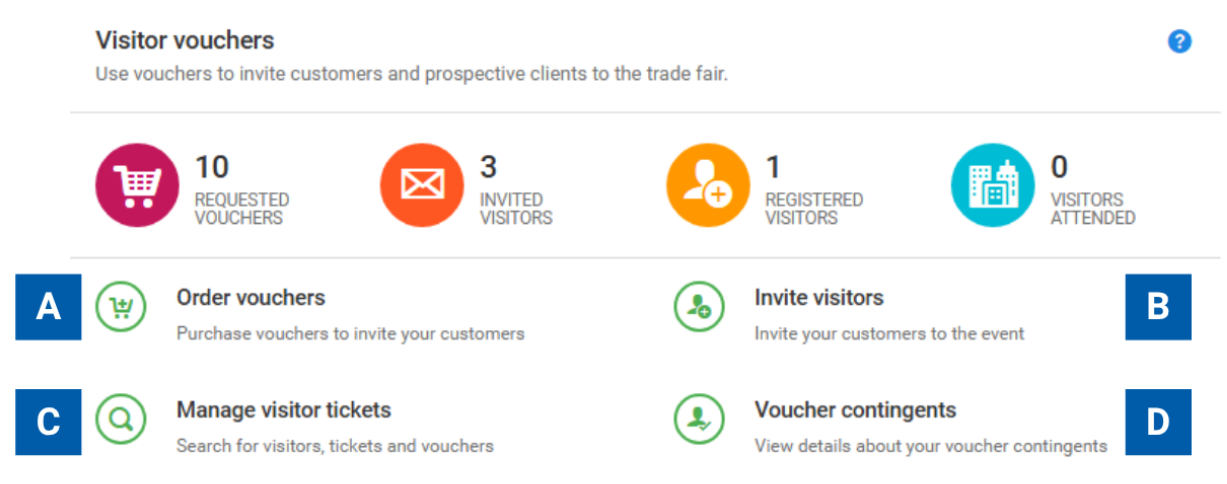
Use this section to invite customers and business partners to visit your exhibition stand and to manage your invitations and voucher allocations centrally.
Your options at a glance:
A – Order vouchers
Order visitor vouchers for your customers and business partners.
B – Invite visitors
Send invitations and voucher codes directly to your visitors.
C – Manage visitor tickets
Search for and manage visitors, tickets and vouchers that have already been redeemed.
D – View voucher contingents
Get an overview of your voucher contingents.
Exhibitor passes / set-up and dismantling passes: ordering, sending and managing passes
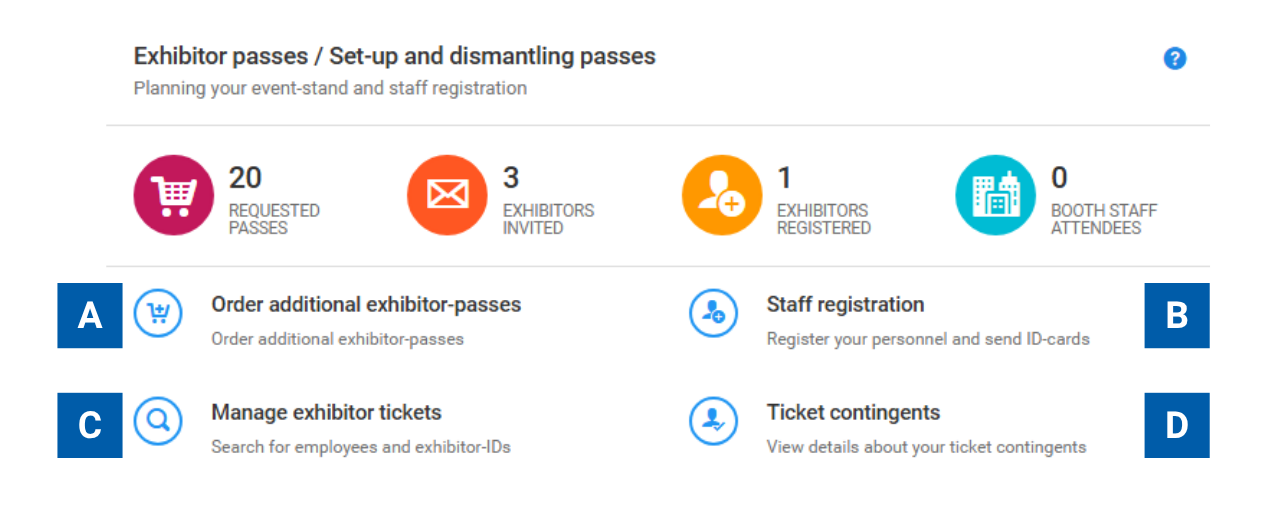

In this section, you can manage exhibitor passes as well as set-up and dismantling passes and organise the registration of your stand staff to ensure a smooth trade fair appearance.
Your options at a glance:
A – Order additional passes
Order exhibitor passes for your stand staff.
B – Register your staff
Register your employees and send exhibitor passes.
C – Manage exhibitor passes
Manage employee details and passes that have already been issued centrally in one place.
D – View pass contingents
Keep track of available and used pass contingents.
Dashboards and monitoring

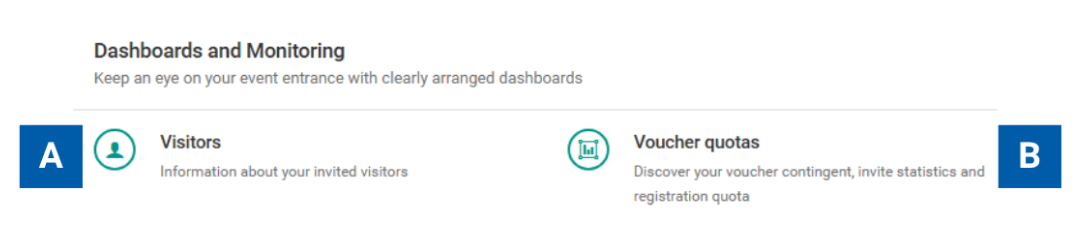
In this section, you can keep track of your visitor numbers and voucher allocations. Use the dashboards to monitor the status of your visitor invitations and voucher usage at any time.
Your options at a glance:
A – Visitors
View information about your invited and registered visitors.
B – Voucher quotas
Keep track of your voucher contingents as well as invitation statistics and registration quota.